INSOCIAL AGENCY JOURNAL
Social media for medical spas: make the consultation easier to understand
A prospective medical spa patient may arrive at your profile with questions about the provider, the consultation and what happens before any treatment decision. Social content can explain that process without promising a transformation. For a US medical spa, a useful starting point is accurate provider information, clear appointment details and a careful review process for every claim and image. This is a marketing-planning guide, not medical or legal advice.
Choose understanding as the first content goal
Start with the questions your front desk can answer appropriately in public: where the practice is, how someone requests a consultation, who they may meet, whether there is a consultation fee and how they receive further information. These subjects can support a useful feed without needing patient images or clinical outcome claims.
Build a path from a clear introduction to a consultation-information page, then to the practice's approved scheduling channel. Explain that a request does not establish that a treatment is suitable or confirm that it will be performed. The clinical team determines how to address individual questions through its normal assessment process.
The potential benefit is a better-informed inquiry: someone knows where to go and what to ask before contacting the practice. Do not promise that a particular posting schedule will produce consultations, treatment sales or a predictable return.
Separate verified practice facts from clinical claims
Keep a small approved fact sheet: provider names and exact credentials, services actually offered, location, consultation process, current fees and the correct contact routes. Assign clinical claims to an appropriate qualified reviewer. Give every draft a named approver and keep a dated record of the final wording and the supporting source.
The FTC's health-products guidance addresses both explicit claims and messages implied by images or context. It calls for truthful, non-misleading claims supported by appropriate evidence. A dramatic photograph can communicate a result even when the caption makes no numerical promise. Its guidance also warns that vague “results not typical” language does not fix a misleading testimonial.
A useful editorial rule is to pause any draft built around claims such as guaranteed results, universal suitability or risk-free treatment until the reviewer resolves it. If the necessary context will not fit clearly in the post, change the subject or the wording. Do not turn a manufacturer's general marketing line into a promise about an individual patient.
Resolve privacy and authorization before collecting patient material
Have the practice's privacy or legal adviser determine which federal, state and professional requirements apply to its operations. HHS explains that HIPAA covers specified entities, including health care providers that conduct certain transactions electronically; the label “medical spa” alone does not answer that question. This article does not determine a particular practice's status.
For covered entities, HHS says marketing uses or disclosures of protected health information generally require written authorization, subject to limited exceptions. Its guidance distinguishes a valid HIPAA authorization from ordinary consent. A general treatment consent, a client's verbal approval or a public tag should not be treated as a ready-made authorization for your marketing workflow.
HHS also explains that covered providers cannot give media crews access to protected patient information without the required prior authorization; blurring identities afterward does not undo that access. Plan photography before inviting anyone into areas where patient information could be visible or audible. The simplest starting batch uses an empty room, approved staff portraits and verified practice information.
Have the practice review any proposed use of patient photographs, testimonials or identifiable stories before they reach an outside creator. Keep clinical records, appointment lists, patient messages and identifying treatment details out of an ordinary creative brief. Do not assume a content package provides a suitable channel for protected health information.
Use these three consultation-focused post examples
These are fictional marketing templates for the practice to review. Replace every bracket with an approved fact. They do not offer clinical advice or establish that any treatment is appropriate.
What a first visit covers: “New to [practice]? A consultation is a chance to discuss your questions with [accurate provider role] and understand the assessment process. Read what the appointment includes, the current consultation fee and how to request a time at [link].”
Meet a provider: “Meet [name], [verified credential and role]. At [practice], [name] is responsible for [accurate scope description]. Learn about their background and our consultation process at [link].”
Where to ask questions: “Questions about appointment times or visiting the practice? Contact [approved scheduling route]. Please do not post medical history or treatment photos in comments or social messages. For personal clinical questions, use [practice-approved contact route].”
A 10-post calendar that does not depend on patient results
This sample month emphasizes the decision process and verifiable practice details. It can be prepared using non-patient assets. Each post still needs the practice's review before publication, including a check that fees, provider roles and booking information remain current.
- Week 1, post 1: Introduce the practice and its actual location. Use an exterior or empty reception photo that helps someone recognize the entrance.
- Week 1, post 2: Explain the consultation-booking process, including what is confirmed immediately and what requires a response from staff.
- Week 1, post 3: Introduce a provider using their approved portrait, exact credentials and accurate role. Link to the verified biography.
- Week 2, post 4: Outline the general stages of a first appointment, using the practice's actual process rather than a treatment promise.
- Week 2, post 5: Publish a questions-to-ask prompt: who assesses suitability, what costs are discussed and how follow-up information is provided.
- Week 3, post 6: Explain consultation fees and relevant booking terms in plain language. Keep qualifications close to any price statement.
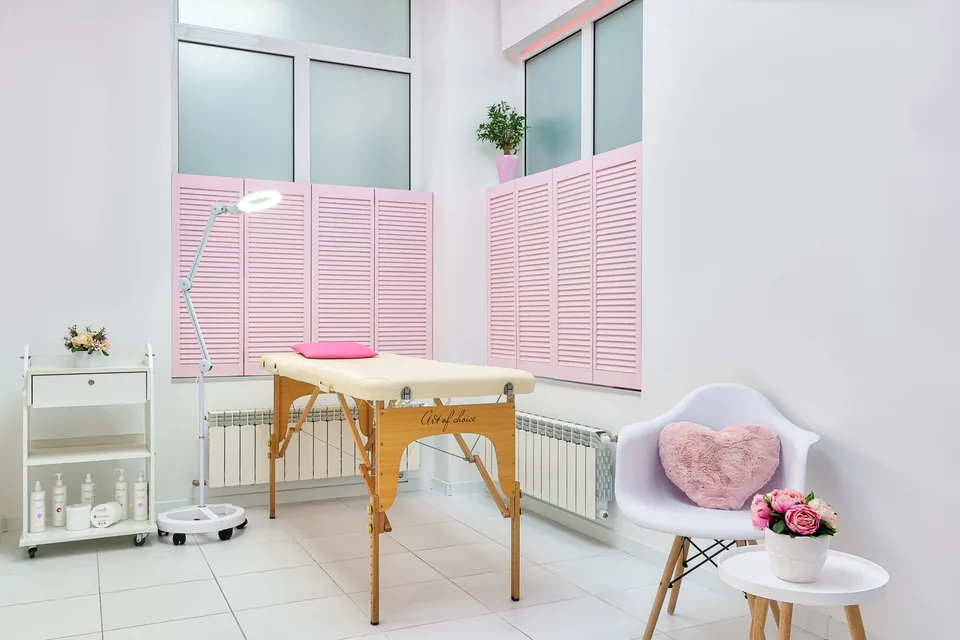
- Week 3, post 7: Show an empty consultation room. Explain its role without displaying records, patient names or a staged outcome.
- Week 3, post 8: Share an appropriate general FAQ reviewed by the clinical team, focused on how an individual question will be assessed.
- Week 4, post 9: Explain the difference between scheduling questions and personal clinical questions, with the correct contact route for each.
- Week 4, post 10: Invite consultation requests through the approved booking page. Recheck dates, fees and availability before publishing.
Build a photo library that does not imply an outcome
The editorial aim is to help people recognize the practice and understand the process. Start with its real rooms and staff rather than collecting treatment footage by default. Stage a clean, non-clinical photo session when patients and their information will not be present.
If you use real stock photography, verify that the license permits the intended commercial and sensitive-context use. Make clear when an image is representative. Never identify a stock model as a patient or provider, or use stock or AI-generated faces as evidence of treatment results. A neutral room or detail photo is usually easier to contextualize than a model shown receiving a procedure.
Before-and-after imagery needs a separate review of permissions, the clinical information and the claim viewers will take away. Different lighting, expression, timing, makeup or retouching can distort the comparison. Leave unverified outcome imagery out of the content plan; an educational feed can still be useful without it.
- An empty reception or consultation room, checked for charts, screens, reflected faces and appointment information.
- Staff portraits approved for the proposed use, matched to names and credentials the practice has verified.
- An exterior or entrance detail photographed without identifiable patients or visitor vehicles.
- The photographer or stock-source record, applicable license and any model or sensitive-use restrictions requiring review.
- Approved copy, the named practice reviewer and the date each asset and claim was cleared for publication.
Keep comments, endorsements and measurement within the same boundaries
Give the person handling comments an approved response process. They can explain general scheduling details and direct individual questions to the practice's appropriate channel. Avoid confirming that a commenter is a patient or discussing their treatment in public, even if they have already shared information themselves.
If a post involves a paid creator or a complimentary service, review the endorsement as well as the clinical content. The FTC says material connections should be disclosed clearly with the endorsement. That disclosure does not substantiate a health claim or replace any required authorization.
For a simple content review, record aggregate visits to the consultation-information page, appropriate scheduling inquiries and appointments confirmed through the practice's own systems. Keep patient identities and treatment details out of ordinary marketing reports and link tags. Do not add advertising pixels or patient-audience uploads as a casual measurement shortcut; get a separate privacy review of the actual data flow.
Keep clinical review with the practice
A clear creative brief can contain approved public practice information, non-patient assets, the intended audience and the scheduling link. Identify which member of the practice reviews credentials, clinical wording, permissions and booking terms. Review the entire post together, including the image, caption, disclosures and destination page.
InSocial’s Posts package starts at $99 USD per month for 10 ready-to-publish posts, with graphics, captions and hashtags. The practice supplies approved facts and suitable assets, completes its clinical and privacy review, and publishes the final files. The package covers content creation; it does not include publishing, account management, clinical advice or legal compliance review. Explore the package or prepare the brief using the links below.